Trading journal app for Android and iOS

Log trades on your phone

Write down ticker, result, notes, and screenshots. Check win rate, R-multiple, and drawdown. The app works offline. The first 10 trades are free.

Offline
Works everywhere
Secure
Your data stays private
Trading journal features

Trades, stats, checklists, and a journal. Stored on the device.

Trade log

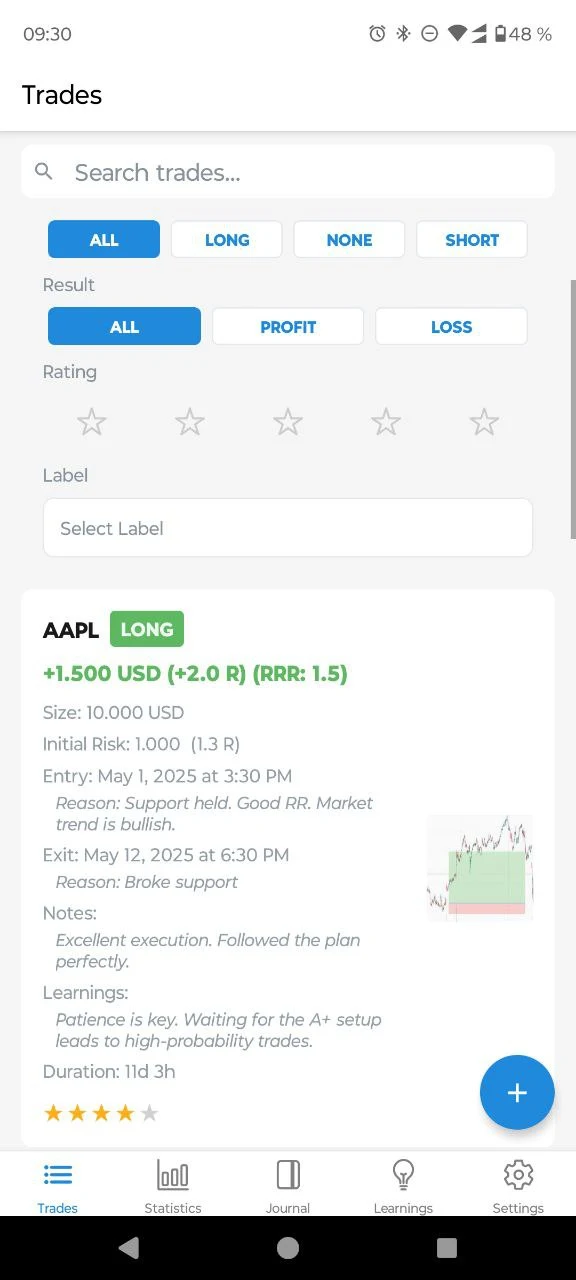
Add ticker, direction, P/L, tags, notes, and screenshots. Edit a trade later.

Statistics

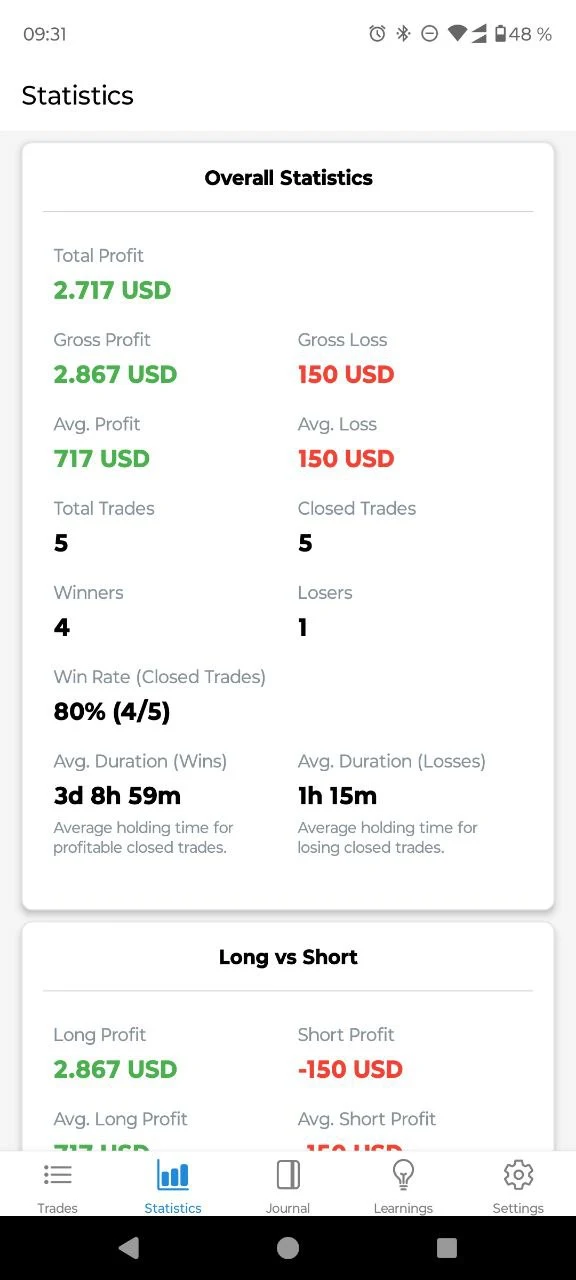
Win rate, average R, expectancy, max drawdown, streaks, and an equity curve. Filter by tag or setup.

Checklists

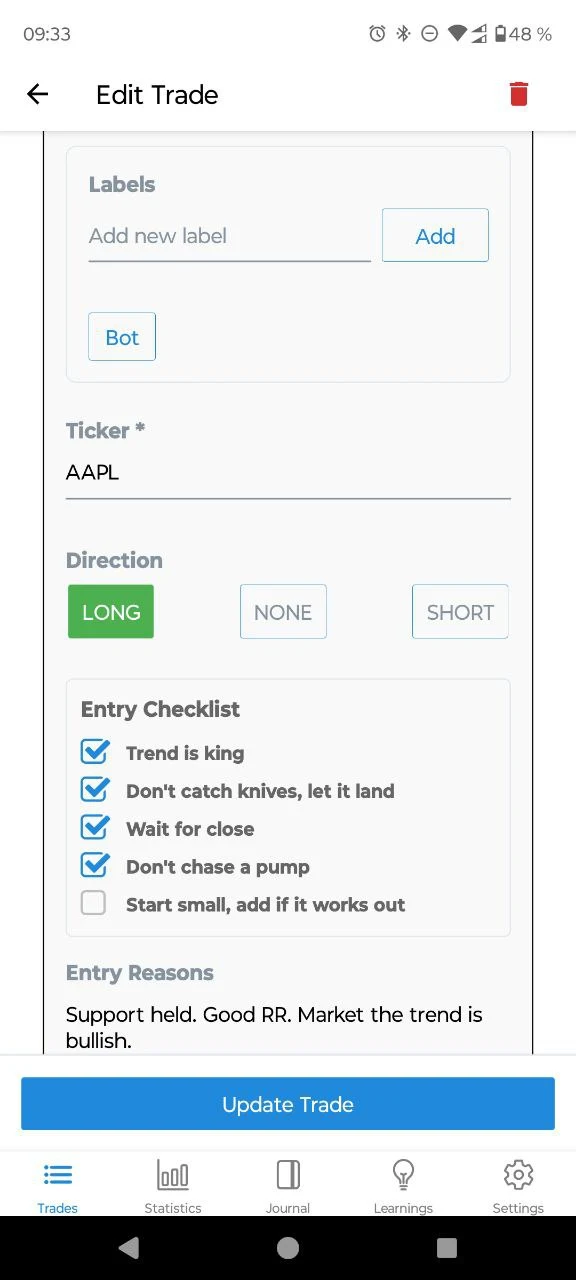
Entry, management, and exit checklists sit on the trade, next to the reasons you wrote down.

Journal

Notes on each trade, plus a separate journal for sessions and what you want to repeat.

Export and backup

Export trades as CSV or JSON. Pro can back up to your own Google Drive. TradingLog does not encrypt that backup.

Offline

No account. Trades stay on the phone unless you turn backup on. Dark mode is included.

What you get

A record of each trade

Entry, exit, size, and the reason you took it. Screenshots stay with the trade.

Stats from your own trades

Win rate, R-multiple, and drawdown, including a split by setup or tag.

Checklists on the trade

The rules you care about are on the entry form, not in a separate note.

10 trades free, then Pro

No credit card and no account for the free trades. Pro is a one-time purchase: unlimited trades and optional Google Drive backup.

TradingLog statistics screen
TradingLog entry checklist on a trade

Trading Journal FAQ

Common questions before you download TradingLog.

Is TradingLog really free?

Yes. The first 10 trades are free. No credit card and no account. Pro is a one-time purchase that removes the limit and adds optional Google Drive backup.

Does TradingLog work offline?

Yes. Trades are stored locally on your device, so you can log and review trades without an internet connection. See our offline trading journal guide.

Do I need an account?

No. Install the app and start logging trades immediately.

Where is my data stored?

On your device by default. With Pro, you can back up to your own Google Drive. That backup is not encrypted by TradingLog before upload.

What markets does it support?

Stocks, forex, crypto, futures, and any strategy where you track entry, exit, risk, and P/L manually.

TradingLog vs Excel or Notion?

A spreadsheet works. On a phone it is slower, and the stats are manual. TradingLog calculates win rate, R-multiple, expectancy, and drawdown, and it stores tags, checklists, and screenshots. You can still export CSV or JSON. Read more in the free trading journal guide.

Android or iPhone?

Both. TradingLog is available on Google Play and the App Store.

Download TradingLog

Android and iOS. The first 10 trades are free. No account.

Android and iOS. 10 trades free. Pro is a one-time purchase.